The transition to Windows 11 has introduced a new layer of user frustration, with many reporting significant Windows 11 annoyances explained by persistent setup hurdles and mandatory features. While some issues trace back to Windows 10 innovations, the current operating system often compounds these problems, making the initial PC setup and ongoing user experience notably more irritating. Understanding these core issues is key for anyone navigating the modern Windows environment, whether you are a new user or a seasoned professional.
One of the most frequently cited frustrations revolves around the stringent Microsoft Account requirement during installation, a significant shift that has altered the windows 10 vs windows 11 setup experience. What was once a relatively straightforward process in earlier versions has evolved into a mandatory online login, creating barriers for users who prefer local accounts or lack immediate internet access. This requirement, initially easier to bypass in Windows 10 Home, has become a cornerstone of Windows 11’s initial setup.
What is the SCOOBE screen in Windows 11? The SCOOBE (Second Chance Out-Of-Box Experience) screen is a recurring prompt in Windows 11 that urges users to “finish setting up” their PC, even if it has been fully configured for years. This persistent notification aims to integrate more Microsoft services.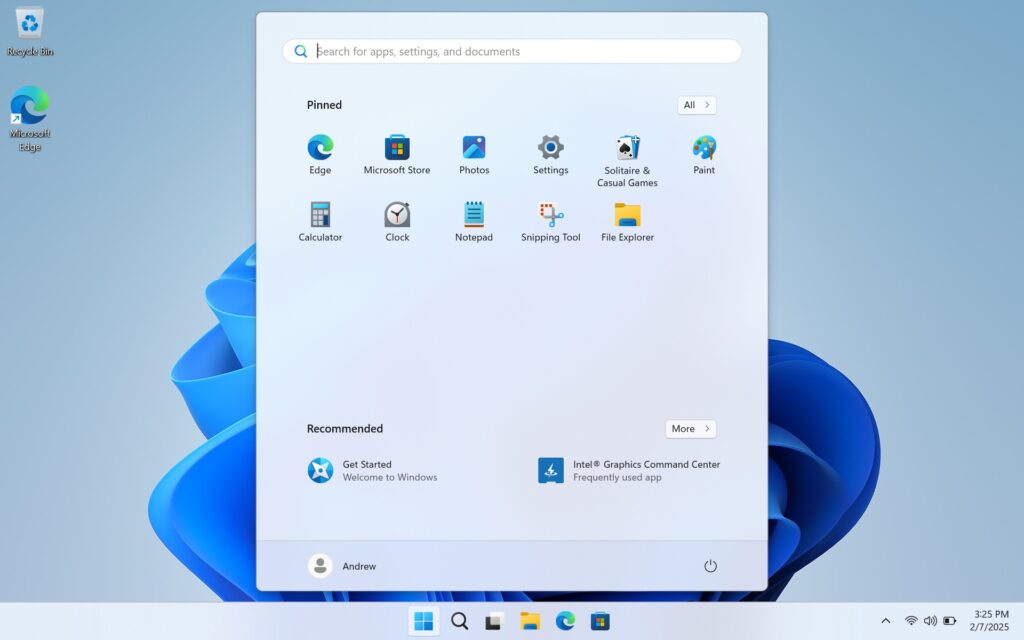
This “Second Chance Out-Of-Box Experience” (SCOOBE) is a prime example of why is windows 11 so annoying for many. Despite having a system perfectly configured, users are repeatedly prompted to enable features or sign up for services they may not want. While it can be disabled through buried settings, its default activation and intrusive nature add unnecessary friction to the user journey, contributing to a sense of being constantly upsold by the operating system itself.
The evolution of the Microsoft Account requirement highlights a critical divergence in user freedom. While Windows 10 initially made it easier to circumvent this for the Home edition, windows 11 home vs pro account requirement now mandates online login for both versions starting with 22H2. This change significantly impacts users who value privacy or simply wish to manage their device without a cloud-tethered identity, forcing them to seek out obscure workarounds rather than being offered a choice.
For those seeking greater control, learning how to set up windows 11 without microsoft account has become a popular query. While Microsoft continues to close loopholes with updates, methods involving disconnecting from the internet during setup or using specific command-line tricks have emerged. These workarounds, however, are not officially supported and require users to possess a degree of technical savvy, adding to the complexity of what should be a simple installation process.
Beyond the setup, the overall windows 11 user experience explained often points to a cluttered interface and pre-installed bloatware. The Start menu, for instance, frequently greets users with a host of apps they may not use, while the taskbar has seen changes that many find less intuitive than its Windows 10 counterpart. These design decisions, combined with the persistent notifications, contribute to a less streamlined and more demanding interaction with the operating system.
Regular windows 11 update annoyances also play a role in user dissatisfaction. While updates are crucial for security and performance, they sometimes introduce new bugs or revert user preferences, forcing users to reconfigure settings or troubleshoot unexpected issues. This ongoing cycle of mandatory updates and subsequent adjustments can be particularly frustrating for those seeking a stable and predictable computing environment.
As we look ahead to what might be the best windows operating system 2025, it’s clear that Microsoft faces a challenge in balancing its service integration goals with user autonomy. The current trend suggests that the microsoft account mandatory news will continue to shape future Windows versions, potentially making local account setups even more difficult. Users are increasingly vocal about these changes, influencing expectations for upcoming software releases.
For those embarking on a new PC journey, a comprehensive windows 11 setup guide 2025 will likely focus heavily on navigating these mandatory elements and optimizing the user experience from the outset. Understanding the system’s quirks and proactively managing settings is essential for beginners. These insights are crucial for anyone looking to mitigate the core Windows 11 annoyances explained in detail throughout this guide.



![[post_title]](https://samony.com.ng/wp-content/uploads/2025/12/1767016434_The-factors-behind-Bastianinis-worst-season-in-MotoGP-300x200.jpg?lm=695287F5 "Why Did Bastianini Struggle: Key Factors in His MotoGP Season")